

Prerequisites
- Download an IDE (where we write code) from this link: VSCode
- After installing, run the file and follow the instructions
Let’s get started
Open a project
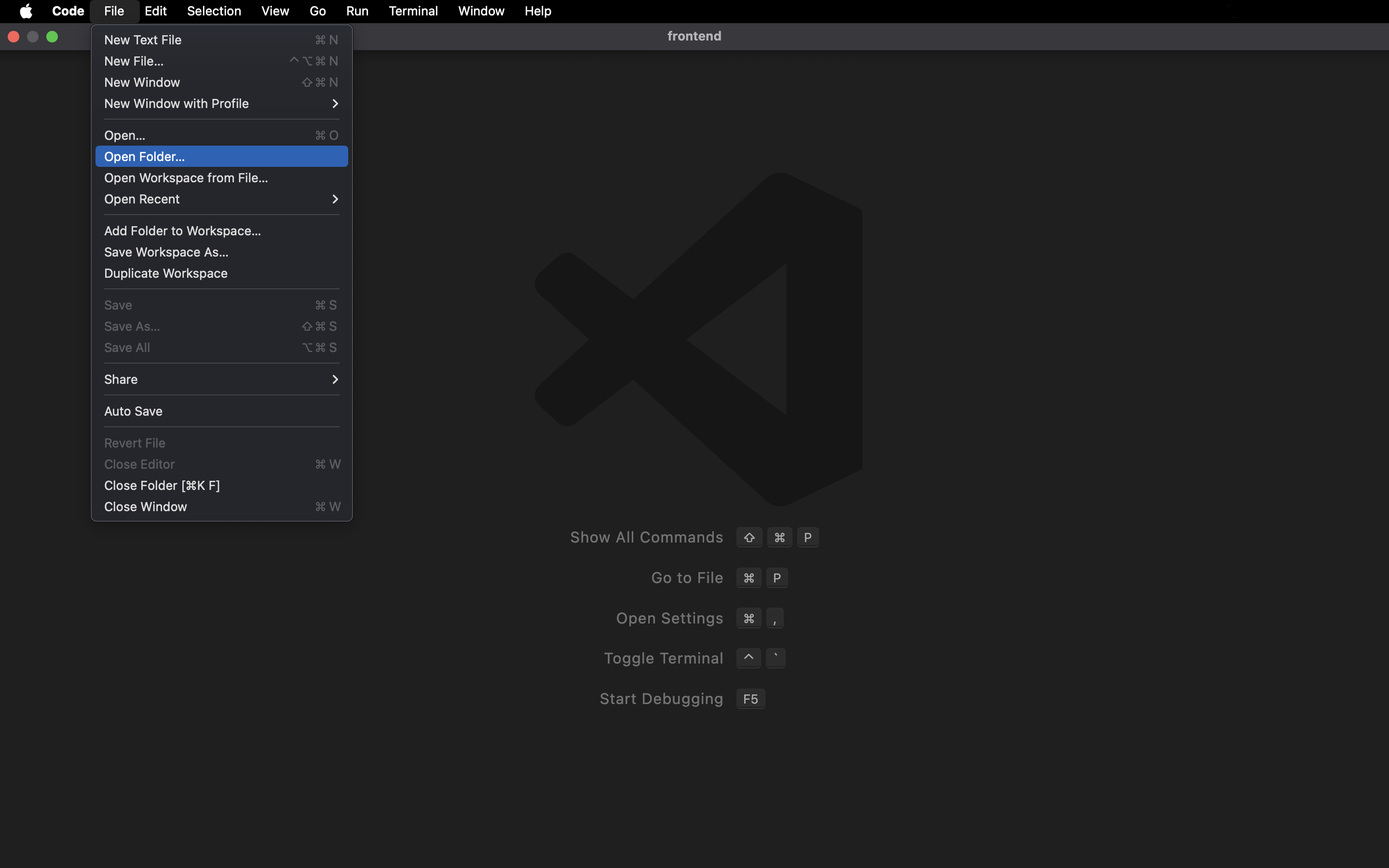
In Visual Studio Code, click the File menu in the top-left corner, then choose Open Folder. Create a new folder for this exercise—for example name itfrontend.
Create a new file
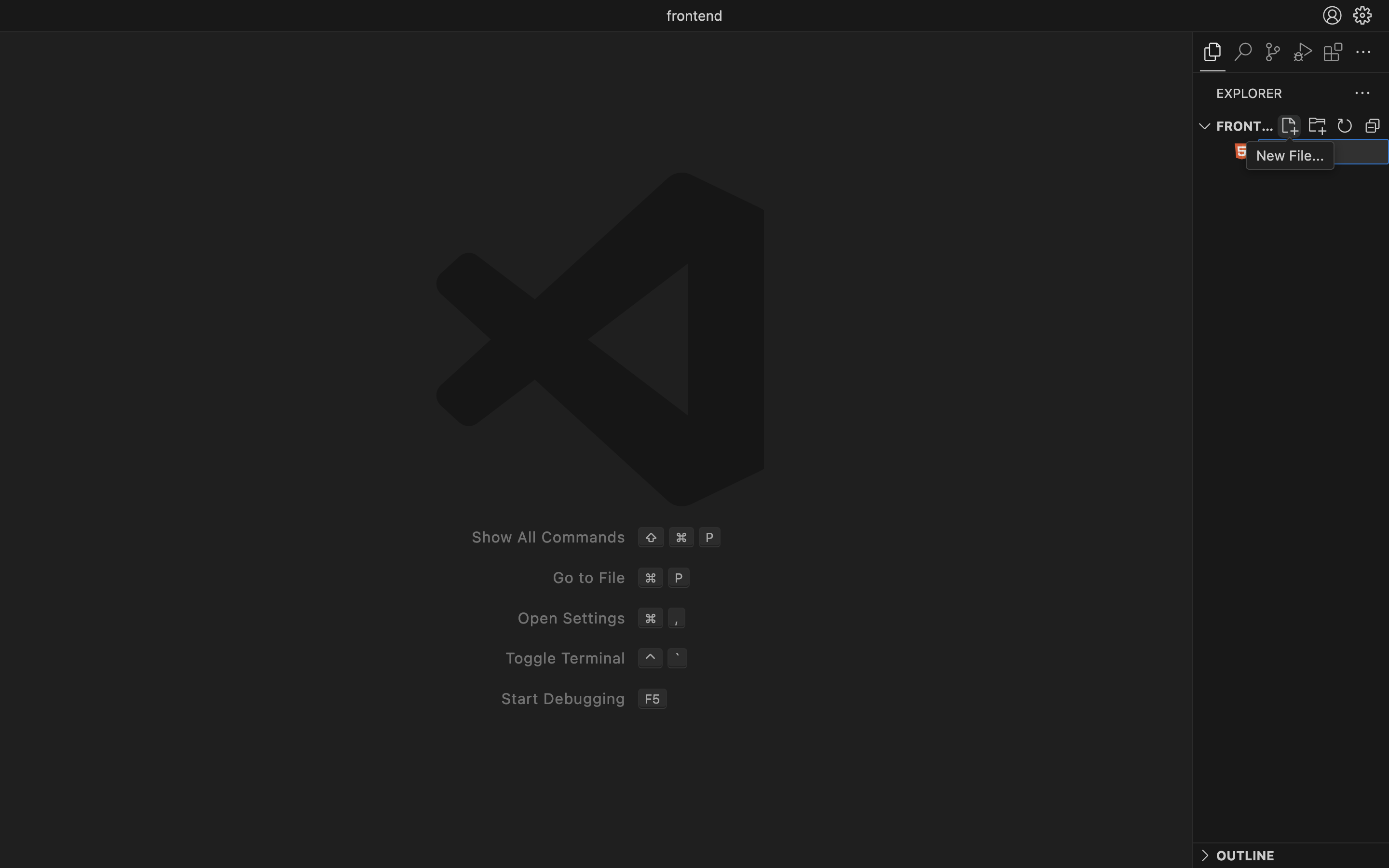
Click the add-file icon in the sidebar, then typeindex.html. Press Enter to create it. Note that websites generally have this file structure:
- HTML (Hypertext Markup Language)
*.html— the skeleton for elements like headings, text, images, links, buttons, and so on - CSS (Cascading Style Sheets)
*.css— styling for HTML elements (font-size, color, font, margin, padding, etc.) - JavaScript
*.js— logic to make the site more interactive, dynamic, and to add functionality
HTML
Comments
<!-- ... --> is not executed by the program—it’s only for notes or comments so you (or others) can understand the code.
Tags
There are many HTML tags, each with a different purpose. See the full list of tags. There are two kinds of tags (elements) you should know: Pair tags<h1>This is a heading</h1><p>This is a paragraph</p><li>This is a list item</li>— and many more
<img />for images<div />for wrapper/container<br />for line break — and many more
Attributes
Attributes are configuration or options you can add to elements (tags). For example: src, style, and many others. See the list of attributes.<img src="my-picture.jpg"/><h1 style="text-align: center;">Welcome!</h1>
HTML structure
! + Tab (or Enter). This structure includes the page title, metadata, and a body where you write the content.
CSS
Tired of only writing elements with no styling? Time to decorate them with CSS. There are 3 ways to do it (the 2nd is recommended): 1. Inline CSS (attribute) Easiest, but not recommended—it clutters your HTML when styles get complex and you have many elements.style.css. Then link it from your HTML; make sure the href matches your file name.
Important: Next, define a class name (e.g. header) in your CSS and use that name in the class attribute on the elements you want to style.
index.html
text-align and more inside curly braces. See the list of CSS properties.
style.css
<style> tag after the <title> and write your CSS inside it.
Systematic thinking
Ever thought about how human logic can be expressed in code? It’s possible, though limited—not like AI. Let’s get familiar with…JavaScript
Did you know that by learning this one language you can become a fullstack web, mobile, desktop developer and more? No wonder it’s one of the most popular languages. Want to go deeper?Standalone vs connected to HTML
JavaScript can be run in two ways: through HTML or on its own. How? Read on. Standalone JavaScript can be run with a runtime. Originally it needed HTML (like CSS), but now you can run it directly from the terminal with Node.js. Once installed, in the terminal run:main.js, then include it inside the <body> tag.
Programming concepts
These are the basic concepts of a programming language, especially JavaScript. The same ideas apply to Python, Java, Go, etc.Comments
As in HTML, CSS, and most languages, you can write comments—the syntax is just different. Use//.
Variables
Syntax Two keywords are commonly used to define variables that hold values of a given type:let and const.
let
Use for values that may change later. In this example, the value is updated from 10 to 12.
- No spaces — Wrong:
let nama lengkap = "john doe" - Camel case — Correct:
let fullName = "john doe" - Snake case — Correct:
let full_name = "john doe"
Data types
Values stored in variables have different types. Here are some common ones. For a full list, see Data types in JavaScript. String Must be wrapped in single or double quotes, e.g."bla bla". In other words, text.
Conditionals
We can combine what we’ve learned to build more complex programs using conditionals (if) and logical operators.
if
You can use simple if, branching with else or else if, combine them, or nest if inside if.
const atSchool = false; const age = 3:
!atSchool— ! is negation (the opposite). So this is true.atSchool && age > 1— && means “and”. Both must be true for the whole expression to be true; if either is false, the whole thing is false.atSchool || age > 1— || means “or”. If at least one is true, the whole expression is true.
Functions
You know functions from math—they take an input and give an output. In code, functions wrap a set of statements in one place and can take parameters (like f(x) where x is the parameter), use those values, and return a result. In JavaScript there are built-in functions and user-defined functions. Built-in functions JavaScript has many built-in functions—try them on variables, objects, classes, arrays, etc. Below is an example usingconcat. When you use libraries, you’ll use even more built-ins.
console.log).
DOM
The DOM (Document Object Model) is how JavaScript manipulates elements and makes your site interactive. Make sure you’re comfortable with the concepts above first.Step 1: Selecting elements
You can turn HTML elements into variables.document is a global object with many uses; one of them is selecting elements. querySelector() is one of its methods.
Step 2: Adding events
Next, attach events or behavior to elements. Here we use theclick event: when the heading is clicked, an alert appears. Note that addEventListener(event, function) takes two arguments: the event and the function.
Ready?
Let’s put this into practice by building the project we’ve designed so you can understand it better!Layouting
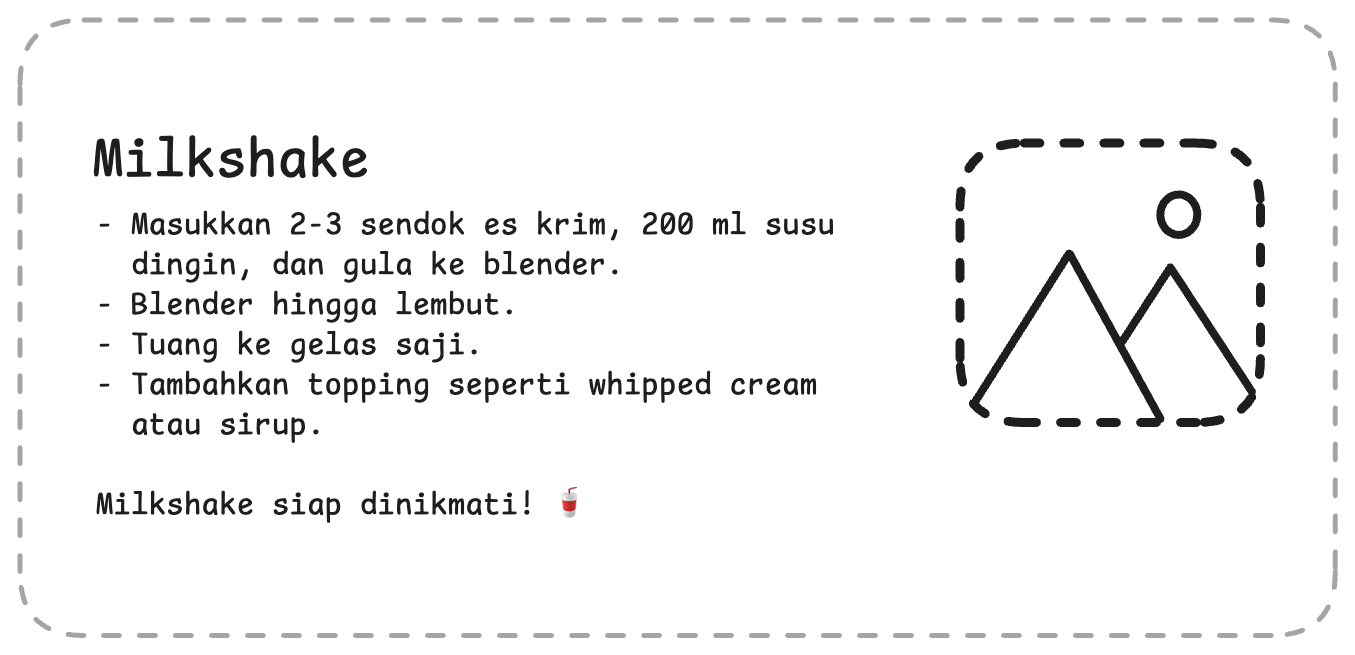
For this project, you’re expected to already understand the basics.Level 1: Text procedure
Here you need to understand HTML concepts: list elements, headings, images, and CSS: layout, padding, and border. This is the layout prototype—good luck!Tips and requirements
- You can use the
floatorflexproperty in CSS - Include images with
<img src="..."/>— you can use a local file (in the same folder) or a URL from the web - Use list elements in HTML, for example:
Level 2: Portfolio section
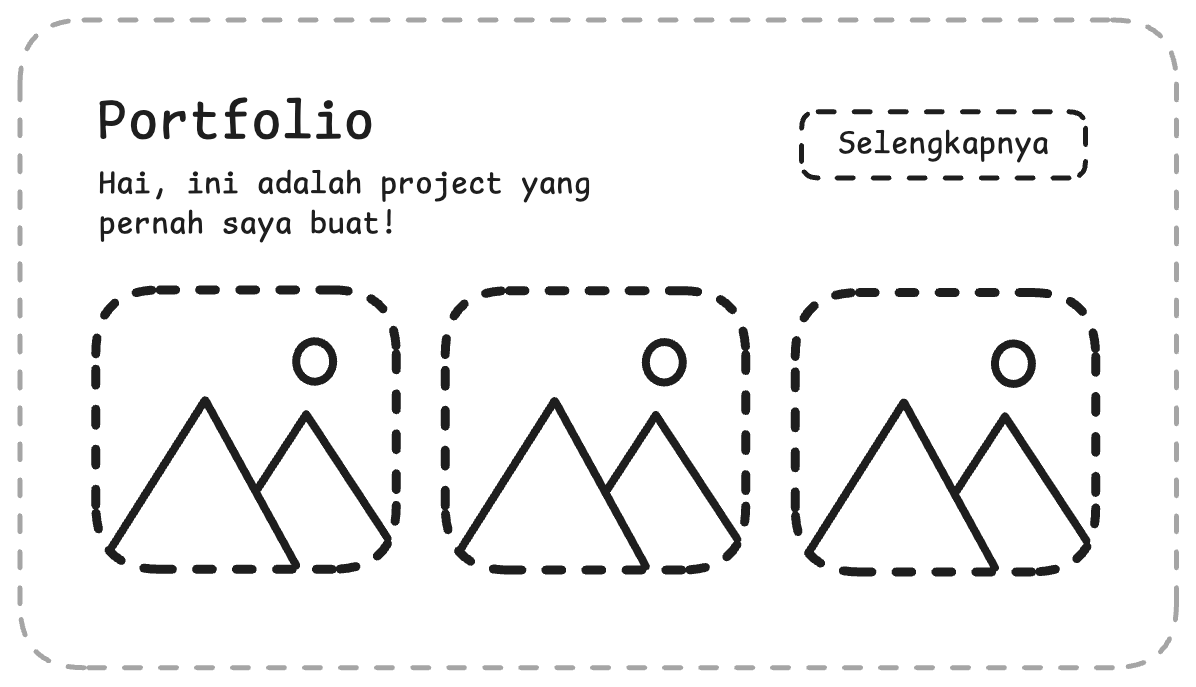
Here you need to combine HTML (buttons), CSS (layout), and JavaScript (DOM). This is the layout prototype—good luck!Tips and requirements
- When the “See more” (or similar) button is clicked, it should go to your Instagram page
- Match the layout exactly. You can use flexbox in CSS:
- Use the
windowobject to navigate to another page in your click handler:window.location.href = "https://instagram.com/@username"inside the event function
Submit
Add your Github link or project in Google Drive then the community will review
and help you together. Please stay tuned on Discord to see the latest updates!